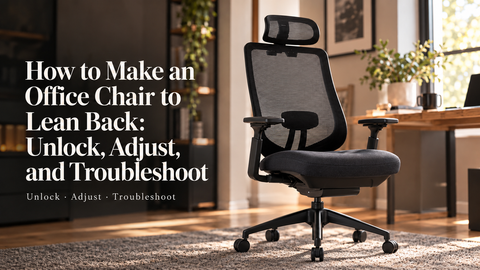

You lean back after a long stretch at the keyboard, but the chair does not move. It may be locked upright. It may be set so stiffly that a normal lean does nothing. Or it may not have the kind of recline you assumed it did. The quickest way forward is to identify the control before turning anything at random.
The short answer: to make an office chair lean back, check that it has a recline or tilt feature, release its lock using the model's instructions, then reduce tilt resistance a little at a time. Sit fully against the backrest and test with a gentle lean. If the chair still will not move—or moves suddenly and feels unstable—stop and check the manual or contact support.
Know what the controls are supposed to do
Three adjustments are easy to confuse. A tilt lock holds the chair at a position or limits movement. Tilt tension changes how much effort it takes to lean back. A recline-angle control or limiter changes the positions available on some chairs. A seat-height lever is a separate adjustment, even when several controls sit close together beneath the seat.
Controls vary by model. Some chairs use a knob, others a paddle or side lever, and some do not have a separate tension control at all. Do not assume that pulling a lever outward or turning a knob clockwise means the same thing on every chair. Find the label or model manual first. If the chair has no recline mechanism, there is no safe adjustment that can add one.
How to make an office chair lean back
- Clear the space behind the chair. Move it away from a wall or desk edge so the backrest has room to move. Keep your feet on the floor and sit with your back against the chair.
- Find the recline control in the manual. Confirm which control releases the lock and which, if any, adjusts resistance. Note whether the chair can lock in several positions or only upright.
- Release the lock as instructed. Some mechanisms need you to take pressure off the backrest before the lock disengages. Do not force a lever that will not move.
- Try one gentle lean. Use your back against the backrest rather than pushing off the desk with your feet. If it moves too easily, add resistance. If it barely moves, reduce resistance in small steps and test again.
- Set a usable position. If your chair has a recline stop or multi-position lock, choose a setting you can return from comfortably. Recheck your feet, lumbar contact, and the distance to your keyboard after changing the angle.
OSHA's workstation chair guidance recommends a backrest that can recline and either lock or provide appropriate tension. The goal is controlled support and room to change position, not the deepest possible recline.
If it still will not recline, match the symptom
The backrest feels completely fixed
Recheck the lock position and any separate angle limiter. A lever may be in a locked position even if it looks halfway between settings. Consult the manual rather than guessing. If the lock appears released but the backrest will not move, stop short of forcing the mechanism.
It moves, but only if you push hard
Resistance may be set too high for you. If your chair has a tension control, make a small adjustment toward its lower-resistance setting and try again. There is no universal number of turns: the useful setting is one that supports you without making a normal lean feel like a workout.
It tips back too quickly
Add resistance if the model allows it. If the chair suddenly drops back, makes a sharp cracking sound, or fails to hold a lock position, stop using the recline and contact the manufacturer or seller. That is different from an ordinary preference for firmer tension.
The seat moves but the back does not behave as expected
Chairs use different tilt mechanisms. On some, the seat and back move together; on others, they move differently. Watch the parts during a gentle test and compare what you see with the manual. Do not assume the chair is broken because it does not move like another model.
Make the recline useful at your desk
A working recline should still let you find a comfortable position for your task. If you lean back for a call and then have to reach forward to type, the problem may be the distance to the keyboard, not the chair. Adjust the chair and work surface as a pair. The OSHA workstation checklist looks at chair support, desk clearance, and screen position together.
Use the headrest if your chair has one and it meets you naturally during a deeper recline. Do not push your head backward just to keep contact with it. A modest recline that you can enter and leave easily is more useful than a dramatic angle you never choose during real work.
How this applies to COLAMY Office chairs
The COLAMY AETHER product page lists seat height, seat depth, and recline-angle adjustments, with armrests designed to move with the back as it reclines. The COLAMY ATLAS page also describes an adjustable recline angle along with lumbar and seat-depth adjustments. Those features can help you tune the chair to your working position, but the exact lever sequence is model-specific. Use the instructions for the chair you own instead of copying a generic left/right lever direction from the internet.
If you are comparing chairs, ask how the recline is released, how resistance is set, and whether your preferred angle can be held. Try the movement with your feet supported and your back against the chair. A control is valuable only if you can use it comfortably.
Quick questions
Is tilt tension the same as tilt lock?
No. Tension changes the force needed to lean back; a lock holds or limits a position. Changing tension will not free a backrest that is still locked.
Should I keep the chair locked upright all day?
You may prefer an upright position for some tasks, but the ability to shift positions can be useful. Set the chair so you can move with control and return to your work without strain.
Bottom line: identify the mechanism, release the lock, tune resistance, and test with your body in the chair. If the movement is noisy, sudden, or unstable, treat it as a possible mechanical issue—not an invitation to lean harder.